
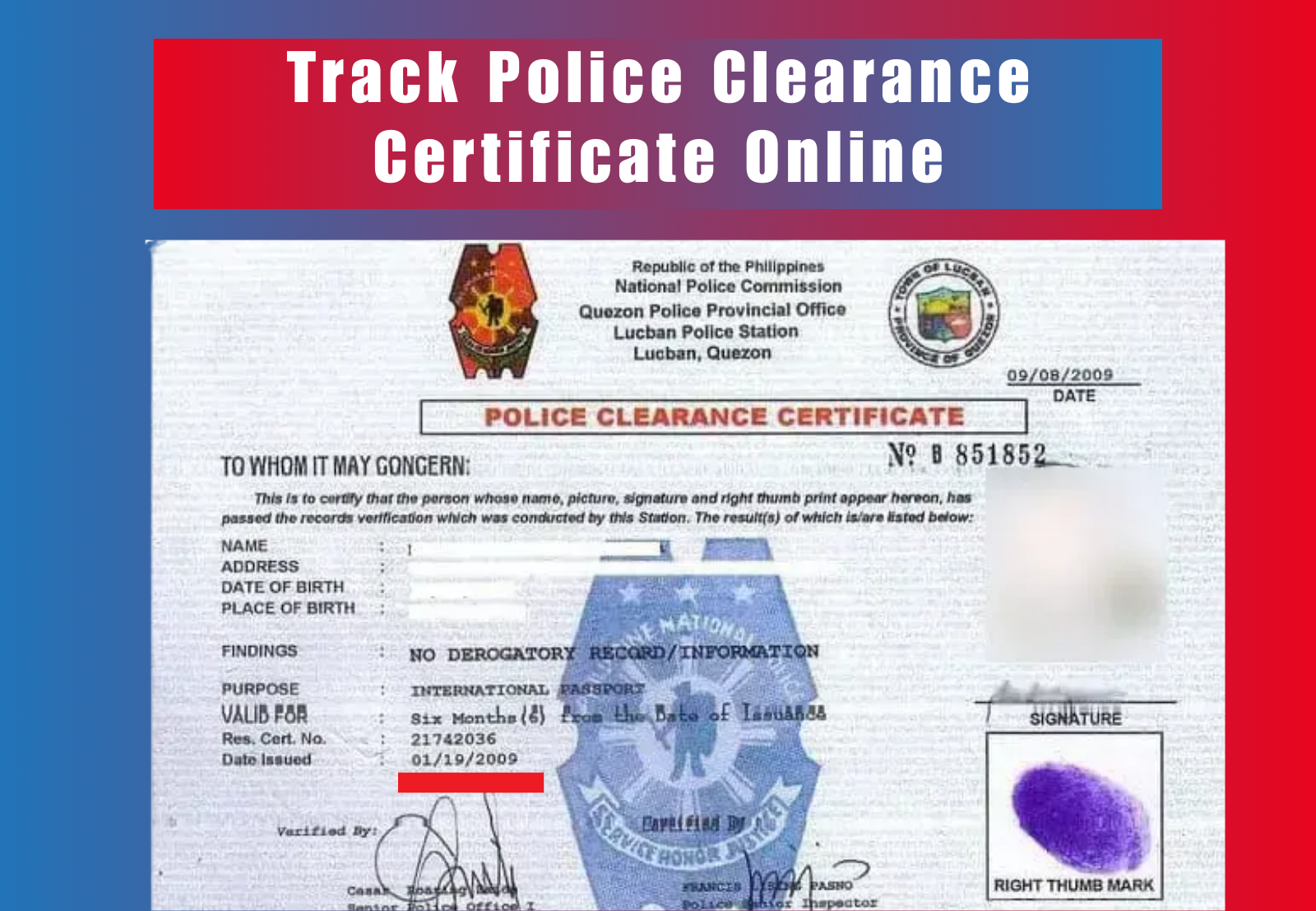
Many Filipinos apply for a police clearance certificate for work, travel, or legal purposes, but often face delays and uncertainty about when it will be ready. Tracking your police clearance online helps you check whether it is being processed, verified, or ready for release without visiting the police station. The National Police Clearance System portal makes the process faster and more convenient by allowing applicants to monitor their status anytime. This guide explains how to track police clearance certificate, understand status updates, and easily handle common issues.
Why Tracking Police Clearance Certificate Matters
To track Police Clearance Certificate is important because it directly affects time-sensitive needs such as job applications, visa schedules, and legal documentation. Many employers and agencies require the certificate before confirming your employment or travel, and delays can lead to missed opportunities.
By using the online system to track Police Clearance Certificate, you can monitor updates in real time, confirm whether it is under verification or ready for release, and ensure there are no issues with your record. Regularly checking your application status also helps you avoid processing delays and unnecessary follow-ups at the police station.
Official Ways to Track Police Clearance Certificate Online
There are several official methods available to track police clearance certificate in the Philippines, depending on how you applied and the contact details you provided during registration.
NPCS Portal (Main Method)
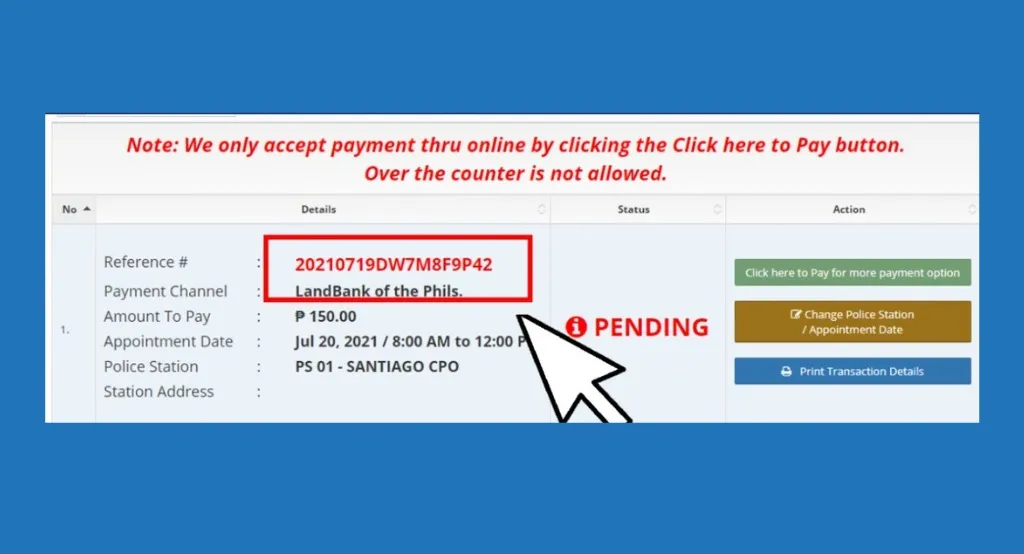
The National Police Clearance System portal is the primary platform to track police clearance certificates. Go to the official website at clearance.pnp.gov.ph, log in with your registered email and password, and open the “Transactions” section. You will see your application history, reference number, and current status, such as processing, verified, or ready for release.
Email or SMS Updates (If Available)
If you entered a valid email or mobile number during registration, you may receive automatic updates from NPCS once your clearance is verified or released. Always check your inbox or spam folder for messages from official NPCS or PNP email addresses.
In-person or Helpdesk Follow-up
If you are unable to access your account or your online status has not been updated, visit your selected police station or contact the NPCS helpdesk. Bring a valid ID and your reference number for police clearance verification. This ensures that your query is resolved securely and directly through authorized personnel.
Step-by-Step Process to Track Police Clearance Certificate Online
Below are the steps to track police clearance certificate online:
1. Go to the NPCS portal
- Open your browser and visit the official National Police Clearance System website.
- Use a stable internet connection to avoid login and tracking timeouts.
2. Log in or register
- If you already have an account, sign in with your email and password.
- If you are new, create an account using your name, mobile number, and an active email address.
- Verify your email before logging in.
3. Enter your reference number
- Go to the Transactions section on your dashboard.
- Type your reference or transaction number exactly as shown on your receipt or email.
- Avoid spaces and extra characters.
4. View your application status
- The portal will show your current status. It may display Pending, For Verification, For Release, or Released.
- If you see an error, check the number and your personal details, then try again after a few minutes.
5. Save or print your tracking details
- Take a screenshot of the status page for your records.
- You can also print the page or save it as a PDF to provide proof of progress for employers or agencies.
Police Clearance Status Updates
When you track a police clearance certificate online, you may see one of several status updates on your NPCS dashboard. Each one shows which stage your application is currently in.
Pending
This means your application has been received but is still awaiting processing. It may take a few hours or days, depending on the workload of your selected police station.
For Verification
The PNP database is now checking your details to ensure you have no criminal or derogatory record. This step may take longer if your name matches other records in the system.
For Release
Your clearance has been verified and is ready for printing or pickup at your chosen police station. Bring your valid ID and payment receipt to claim it.
Released
Your police clearance certificate has been officially issued. You can now collect the physical copy or, in some cases, download the digital copy if the portal allows it. Keep your reference number safe for future renewals.
Common Tracking Problems and Quick Fixes
Here are some common issues applicants face when they track a Police Clearance Certificate, along with the best ways to resolve them.
| Error | Reason | Quick Fix |
|---|---|---|
| Reference number not found | Typing mistake or expired reference number | Double-check your number or refer to your confirmation email |
| Account login failed | Wrong email or password | Use “Forgot Password” to reset your login credentials |
| Status not updating | System delay or technical issue | Refresh after a few hours or try using a different browser |
| Payment confirmed but not reflected | Delay in NPCS system update | Wait 24 hours and recheck your transaction page |
| Page not loading | Slow internet or heavy website traffic | Try again during off-peak hours or clear browser cache |
How to Track If You Applied Manually at the Station
If you submitted your police clearance application directly at a police station, you won’t be able to track it through the NPCS portal. Instead, follow the manual tracking process described below.
1. Keep Your Official Receipt or Reference Slip
When you apply manually, the police station issues a receipt that contains your name, reference number, and date of application. Keep this document safe, as it serves as proof of your submission and will be used to locate your record later.
2. Visit the Same Police Station
Return to the police station where you filed your application. Go to the Police Clearance Section or Records Division and explain that you want to check the status of your clearance. Present your official receipt and a valid ID to the officer in charge.
3. Ask About Your Clearance Status
The staff will check your record in their database and inform you whether your certificate is still being processed, awaiting verification, or ready for release. If your clearance is complete, you can claim it immediately after signing the release log.
4. Contact the Station by Phone (Optional)
If you live far from the station, call their official number listed on your receipt. Provide your name, reference number, and application date so they can check your record. This saves time and prevents unnecessary visits.
5. Follow Up During Office Hours
Always visit or call during regular business hours, preferably midweek, to avoid long queues. Keep your receipt safe until you collect your clearance to ensure smooth processing and verification.
When and How to Contact NPCS Support
If you face delays or technical problems while tracking your police clearance online, you can contact the National Police Clearance System (NPCS) support team for assistance. They help applicants resolve issues such as login errors, invalid reference numbers, or missing status updates.
When to Contact Support
Reach out to NPCS support if:
- Your reference number is not recognized on the portal
- The status hasn’t updated for more than three working days
- You can’t log in even after resetting your password
- You need clarification about the release or pickup schedule
How to Contact NPCS Support
- Email: pnpclearance@pnp.gov.ph or npcsonlinesupport@pnp.gov.ph
Send your full name, reference number, date of registration, and a scanned copy of one valid ID. - Hotline: (02) 723-0401 local 7663
Call during office hours (Monday to Friday, 8 AM to 5 PM) for real-time assistance. - Expected Response Time: You can expect a reply within 24–72 hours, depending on the number of pending requests.
Always use your registered email and official details when contacting NPCS to ensure faster and secure verification.
Tips for Easier Tracking in the Future
Keeping your police clearance details organized can help you avoid tracking issues in future applications. A few simple habits can make the process smoother every time you apply.
1. Save Your Reference Number Immediately
As soon as you receive your reference number, write it down in your phone’s notes or store it in a secure document. This number is essential for tracking and renewal.
2. Label Your Emails
Create a folder in your inbox named “Police Clearance” and move all related messages there. This helps you quickly find confirmation emails, payment receipts, and reference details.
3. Take Screenshots
After every major step, registration, payment, and tracking, take screenshots and store them in your photo gallery or Google Drive. They serve as proof in case of system errors or delays.
4. Keep Digital and Printed Copies
Download your clearance certificate and save it as a PDF. You can also print one copy and store it in a safe folder at home.
5. Always Use the Same Email for Renewal
Using one email for all applications ensures continuity. The system automatically links your history, making tracking and verification much faster.
Conclusion
Learning how to track Police Clearance Certificate helps you avoid delays and unnecessary visits to the station. Through the NPCS portal, you can easily monitor whether your clearance is still processing, ready for release, or already issued. Always keep your reference number safe and check updates only through the official PNP website to ensure accuracy. Tracking your Police Clearance Certificate online saves time, ensures transparency, and keeps your documents organized for future applications.
FAQs
How can I check my police clearance status online?
You can track your status by visiting the official NPCS portal at https://pnpclearance.ph. Log in using your registered email, enter your reference number, and click “Track Status” to view your current application progress.
Can I track Police Clearance Certificate without a reference number?
No, you need a valid reference number to track clearance certificate online. If you lost it, check your confirmation email or payment receipt, or contact NPCS support to recover it.
How long does it take to process a police clearance?
Usually, it takes 24 to 48 hours, depending on system delays or verification issues. In cases of a “HIT” or name match, it may take 5–7 working days.
What do the different status messages mean?
“Pending” means your application is under review, “For Verification” means identity checking is ongoing, “For Release” means your clearance is ready for pickup, and “Released” means it has already been issued.
What to do if tracking doesn’t update?
Wait a few hours, then refresh or try a different browser. If the issue continues, email pnpclearance@pnp.gov.ph with your reference number and a valid ID for manual verification.