
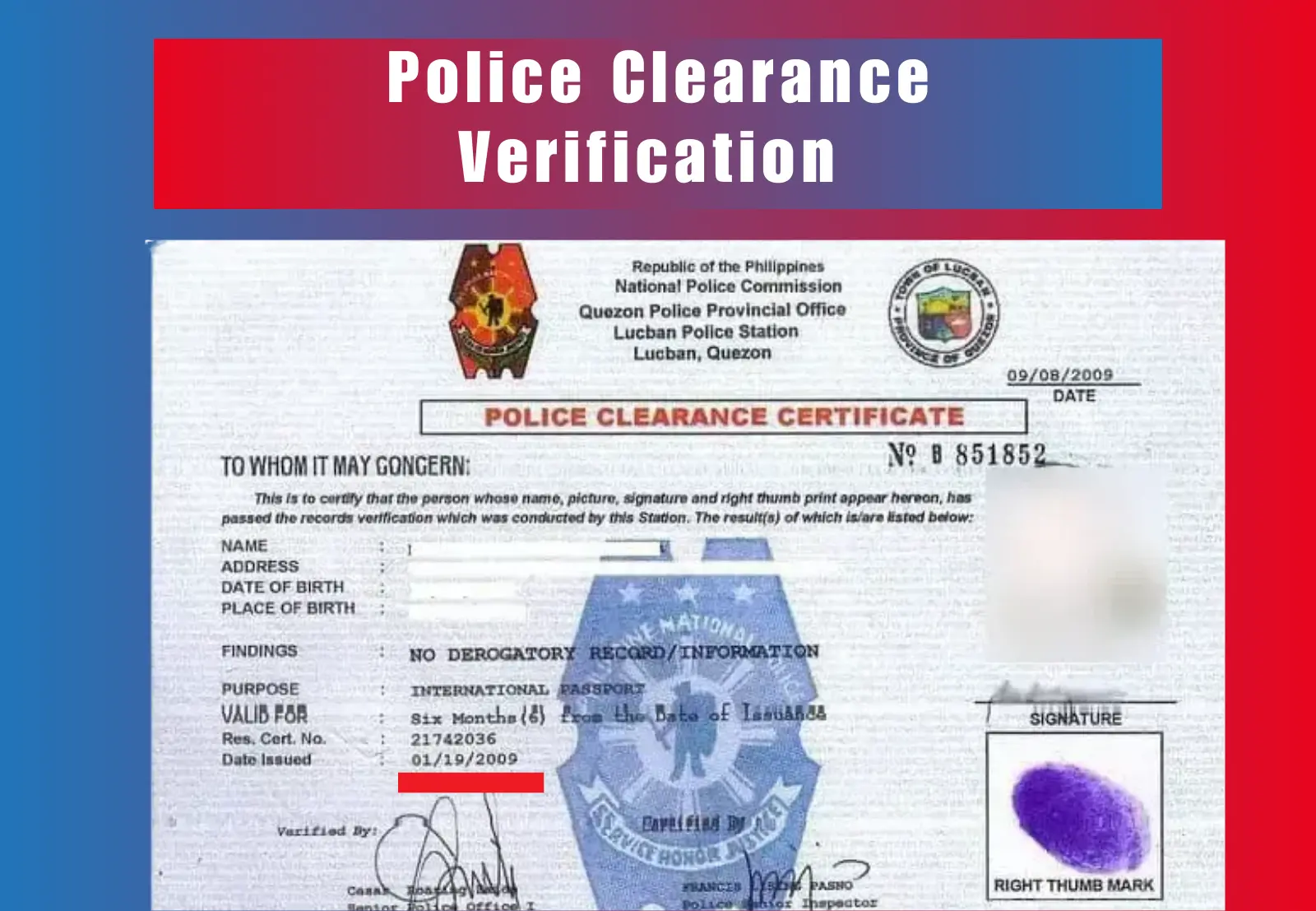
Many Filipinos apply for a police clearance to meet job, visa, or legal requirements, but often overlook confirming if the certificate is valid and recorded in the official database. Police clearance verification helps you ensure that your document is authentic, not expired, and correctly issued under your name. Through the National Police Clearance System (NPCS), you can easily perform this check online without visiting any police station.
In this 2026 guide, you’ll learn how to complete your clearance verification online, understand what the results mean, and find solutions for common issues that may appear during the verification process.
What Is Police Clearance Verification?
Police clearance verification is the process of checking the authenticity and validity of your Police Clearance Certificate through the official National Police Clearance System (NPCS) portal. It confirms that the certificate issued under your name is genuine, properly registered in the national database, and still within its validity period.
During verification, you’ll need to enter your police clearance number, which serves as the unique identifier printed on your certificate. This number allows the NPCS system to locate and confirm your record instantly.
It’s important to understand that clearance verification is different from applying for or renewing your clearance. The verification process focuses only on confirming whether your existing document is genuine and active, not on creating or issuing a new one.
Step-by-Step Guide to Police Clearance Verification Online (NPCS Portal)
You can easily complete your verification online through the National Police Clearance System (NPCS). Follow the steps below to confirm your certificate’s authenticity.
Step 1: Visit the Official NPCS Website
Go to https://pnpclearance.ph and click on the “Verify Clearance” option on the homepage. This section is dedicated to checking the status and authenticity of existing clearances.
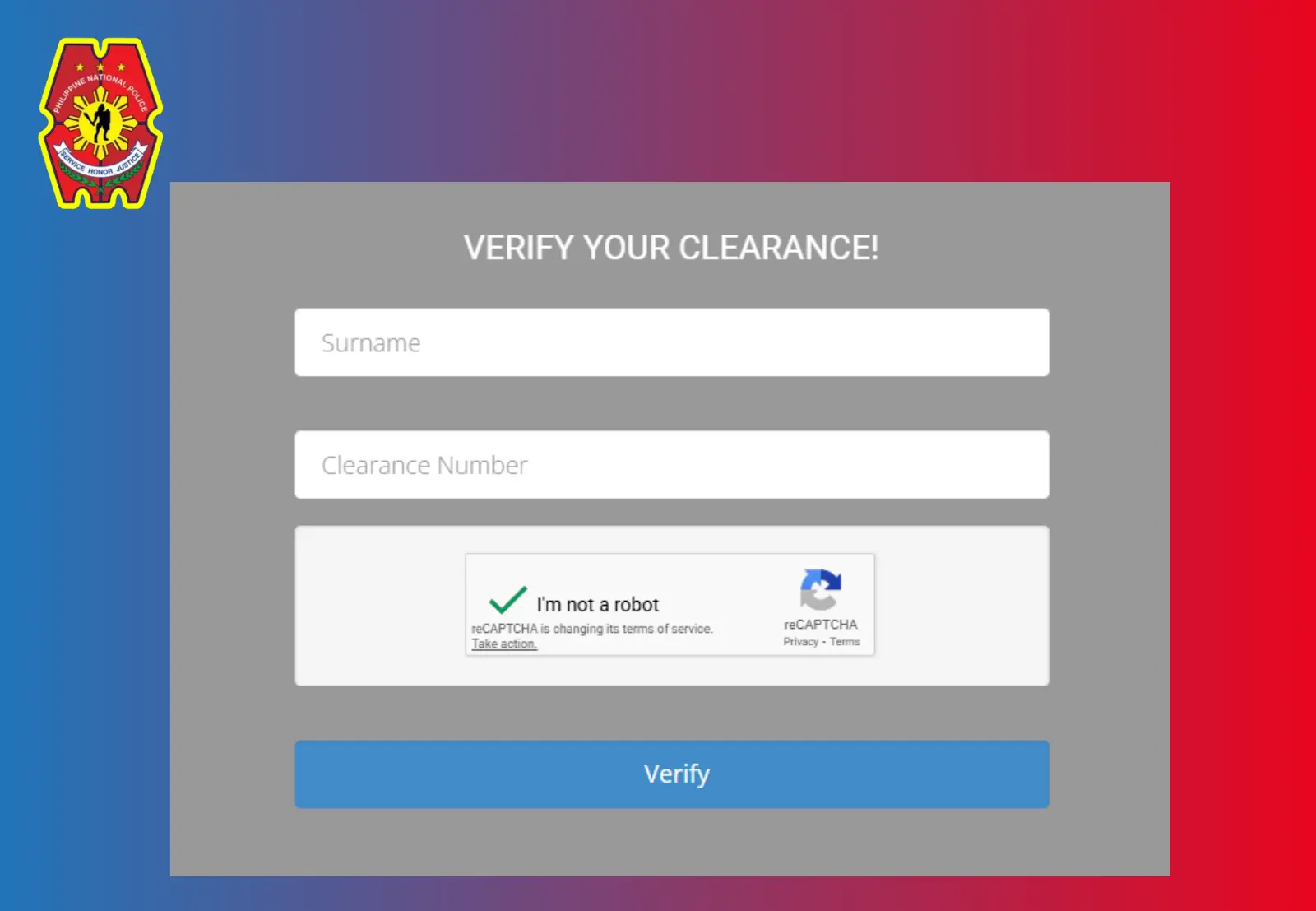
Step 2: Enter Required Information
Type your surname exactly as it appears on your certificate and input your police clearance number printed on the document or payment receipt.
Step 3: Complete the reCAPTCHA
Tick the reCAPTCHA box to confirm you’re not a bot. This helps maintain system security and prevent automated requests.
Step 4: Click “Verify” and View Results
Once submitted, the system will show one of the following verification results: Valid, Invalid, Expired, or Not Found based on your record in the database.
Step 5: Save or Print Verification Result
Take a screenshot or print the verification result page for your records. You can also save it as a PDF if needed for a job or visa documentation.
Tip: NPCS updates newly issued clearances within 24 hours, so if your verification result doesn’t appear immediately, try again the next day.
Police Clearance Verification Results
After completing your national police clearance verification, the NPCS portal will display one of four possible status results. Each status indicates a specific stage or issue with your certificate. Understanding these messages helps you know what action to take next.
| Verification Status | Meaning | Next Step |
|---|---|---|
| Valid | Your Police Clearance Certificate is authentic and currently active in the national database. | You can safely use it for job applications, visa processing, or other legal purposes. |
| Invalid | The entered clearance number does not exist or may be fake. | Double-check your details and re-enter them correctly. If the issue continues, contact NPCS support for manual verification. |
| Expired | Your clearance has passed its 6-month validity period. | Apply for a new Police Clearance Certificate through the NPCS portal. |
| Not Found | The record might not be uploaded yet or contains mismatched information. | Wait 24–48 hours before rechecking, or reach out to NPCS support if the issue persists. |
Knowing these verification results ensures that your clearance is correctly validated and ready for official use.
Why You Should Do Police Clearance Verification
Doing a clearance verification is an important step before using your certificate for any legal or official purpose. It confirms that your document is valid, active, and recognized by the authorities. Here’s why it matters:
1. Employment Requirements
Many local and overseas employers require verified clearance before hiring. It serves as proof that the applicant has no criminal record and is fit for work.
2. Visa and Immigration Processing
Embassies and immigration offices often request verified clearance during visa, residency, or travel applications. It helps verify your identity and background.
3. Business Licensing and Legal Use
Government offices and agencies require verified clearance for permits, business registration, and legal documentation to ensure compliance.
4. Avoid Fake or Duplicate Certificates
Doing a proper police clearance check prevents issues caused by counterfeit or expired documents. It also ensures your details in the national database are correct and traceable.
How to Do Police Clearance Verification Walk-in
If you applied manually or live in an area with poor internet access, you can still verify your clearance in person. Follow these simple steps at the issuing station:
Step 1: Visit the Issuing Police Station
Go to the police station where you originally applied for your clearance. Head to the records or verification section to request manual verification.
Step 2: Bring Your Documents
Carry your police clearance ID card or the printed clearance certificate. Bring at least one valid government-issued ID for identification.
Step 3: Provide Your Details
Give your full name, date of birth, and police clearance number to the officer. These details help them locate your record in the database.
Step 4: Wait for Verification
The staff will check your record and confirm whether your clearance is valid, expired, or mismatched in their system.
Step 5: Get Confirmation
Once verified, you may request a written or stamped confirmation if required for job, visa, or legal use.
Common Problems and Quick Fixes
While doing your verification, you might encounter minor issues that can delay the process. Most of these are easy to fix once you identify the cause. The table below lists common problems, their possible reasons, and the quickest solutions.
| Problem | Reason | Quick Fix |
|---|---|---|
| Reference not found | Typing error in surname or clearance number | Double-check your details and re-enter them accurately |
| Invalid result | The certificate is fake, expired, or not in the NPCS database | Visit the issuing station for manual verification |
| Website not loading | NPCS portal is under maintenance or heavy traffic | Try again after a few hours or during off-peak times |
| Record not updated | The clearance was issued recently and not yet uploaded | Wait 24–48 hours before rechecking |
| Wrong name or details | Data mismatch between your record and the database | Contact the NPCS helpdesk for correction and confirmation |
NPCS Support for Police Clearance Verification Issues
If you encounter persistent errors when completing your police clearance verification online, such as repeated “Not Found” results or incorrect personal details, it’s best to contact the NPCS support team for assistance. Their representatives can manually verify your record and resolve technical or data-related problems.
You can contact the National Police Clearance System (NPCS) through the following channels:
- Email: pnpclearance@pnp.gov.ph
- Hotline: (02) 723-0401 local 7663
- Expected Response Time: 24–72 hours
When reaching out, include your full name, reference or police clearance number, registered email address, and a scanned, valid ID for verification. Providing complete details helps speed up the response and ensures your concern is processed without delay.
Best Practices to Keep Your Clearance Easy to Verify
After completing your police clearance verification, it’s important to secure your records properly so you can easily verify them again when needed. A few smart habits can save you time and prevent future verification issues.
- Take a clear photo or screenshot of your verified clearance result and store it safely.
- Save your police clearance number in a secure notes app or password manager.
- Keep a backup copy of your certificate in Google Drive or another trusted cloud service.
- Always use the same email for renewals and future verification to keep your data consistent.
- Avoid posting your clearance or personal details publicly to prevent identity misuse.
Following these practices ensures that your clearance remains accessible, valid, and easy to confirm whenever required.
Conclusion
Performing police clearance verification through the official NPCS portal ensures your certificate is genuine, valid, and accepted by employers, embassies, and agencies. By completing your verification online, you can confirm the authenticity of your document and avoid rejections, delays, or legal complications. Always verify your clearance before submission to ensure your application process goes smoothly and your records remain up to date.
FAQs
1. How do I perform police clearance verification online?
Visit https://pnpclearance.ph, click “Verify Clearance,” enter your surname and clearance number, complete the reCAPTCHA, and click “Verify” to see your result.
2. Can I do police clearance verification without a reference number?
No, you need your police clearance number or reference number printed on your certificate or receipt to verify your record online.
3. How long does police clearance verification take?
Verification usually takes only a few seconds once you submit your details, but recently issued clearances may take up to 24–48 hours to appear in the system.
4. What if my clearance says “Not Found” during verification?
It means your record hasn’t been uploaded yet, or there’s a typo in your details. Recheck your information or contact NPCS support for assistance.
5. Is police clearance verification required for all job applications?
Yes, most employers, government agencies, and embassies require a verified clearance to confirm that your document is valid and authentic.